Common GB WhatsApp Problems & How to Fix Them Easily
GB WhatsApp can provide additional features, but users may sometimes experience installation errors, crashes, verification problems, login issues, or unexpected behavior.
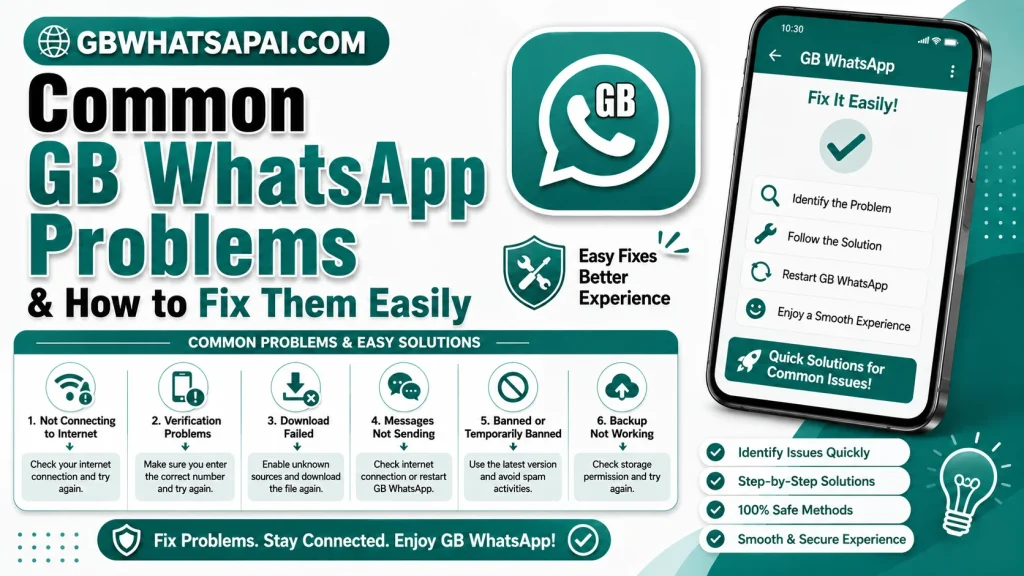
Because it is a third-party modification, troubleshooting can be more complicated than with official WhatsApp.
1. GB WhatsApp Is Not Installing
If the application does not install, first check whether your device has enough storage.
Also make sure the APK is compatible with your Android version and that the file is not damaged.
Avoid installing files from suspicious sources.
2. GB WhatsApp Keeps Crashing
Application crashes can be caused by compatibility problems, corrupted data, insufficient storage, or bugs.
Try restarting the device and checking available storage. If the problem started after an update, the new version may have compatibility issues.
3. Verification Problems
Verification problems can occur for several reasons, including network issues or problems with the application version.
Check your mobile connection and make sure the phone number is entered correctly.
Never share your verification code with anyone.
4. Messages Are Not Sending
If messages remain pending, check your internet connection.
Try switching between Wi-Fi and mobile data. If other applications also have connection problems, the issue may be related to your network.
5. Media Is Not Downloading
Check your internet connection and available storage.
You should also make sure the application has the permissions required for accessing media and storage where applicable.
6. Notifications Are Not Appearing
Check Android’s notification settings and battery restrictions.
Some devices limit background activity to save battery, which can affect notifications.
7. GB WhatsApp Is Slow
Large chat histories, excessive media, limited storage, and application bugs can affect performance.
Remove unnecessary files and keep enough free storage available on your device.
8. Backup or Restore Problems
Always keep important backups before changing application versions.
If restoration does not work, verify that the backup is compatible with the version you are using.
9. Account Restrictions
Unofficial modified clients can carry a risk of account restrictions.
If you experience an account-related problem, consider switching to the official WhatsApp application and following the platform’s account recovery process.
10. Privacy or Permission Concerns
Review the permissions granted to the application.
If an application requests permissions that appear unnecessary, consider denying them or removing the application.
Final Thoughts
Most GB WhatsApp problems are related to compatibility, network connections, storage, permissions, application bugs, or unofficial software limitations.
The safest troubleshooting approach is to protect your data first and avoid downloading random replacement APK files. If problems continue, consider using the official WhatsApp application.
FAQs
Why is GB WhatsApp crashing?
Compatibility issues, bugs, corrupted data, and limited device storage can cause crashes.
Why is GB WhatsApp not connecting?
Check your internet connection, application permissions, and device settings.
Can I fix every GB WhatsApp problem?
Not necessarily. Some issues may be caused by the third-party application’s code or compatibility problems.
Is switching to official WhatsApp an option?
Yes. Users experiencing persistent problems can consider moving to the officially supported application after protecting their important data.