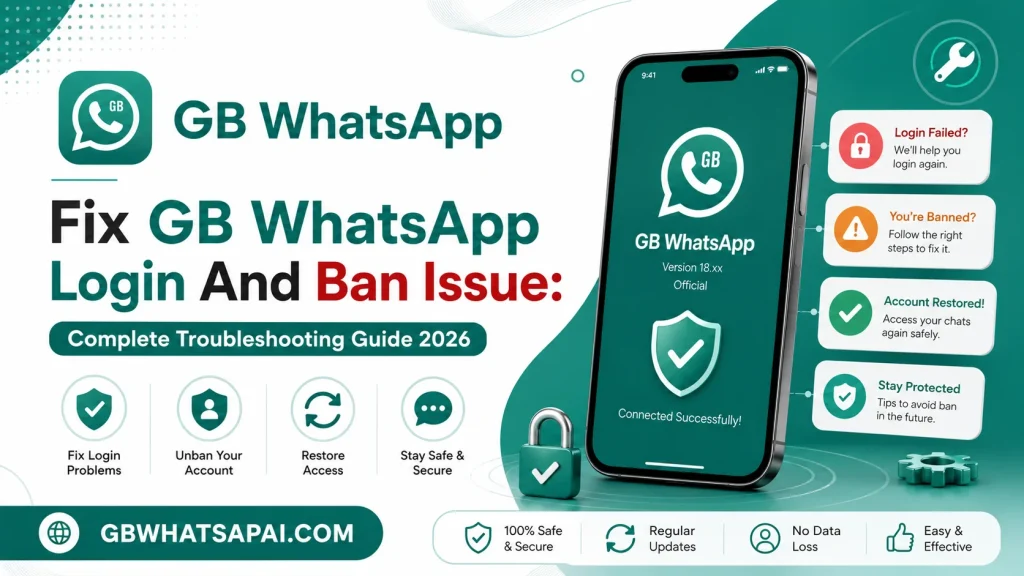
Fix GB WhatsApp Login And Ban Issue: Complete Troubleshooting Guide 2026
Login failures and account bans are two of the most common frustrations reported by GB WhatsApp users. This guide from GBWHATSAPAI.COM breaks down exactly why these problems happen and walks through practical fixes for each one. Every section below covers a specific scenario, from a stuck verification screen to a fully banned account.
Why Login Issues Happen
Login problems on GB WhatsApp usually trace back to a handful of common causes rather than one single issue. Understanding the root cause makes it much easier to apply the correct fix instead of guessing through random troubleshooting steps. The list below covers the most frequent triggers reported by users.
- Outdated App Version: Older builds sometimes lose compatibility with current verification servers.
- Incorrect Phone Number Format: Missing or wrong country codes block the verification request.
- Network Instability: A weak or interrupted connection can cause the OTP request to fail silently.
- Device Date And Time Errors: Incorrect system clock settings interfere with secure verification requests.
- Too Many Verification Attempts: Repeated requests in a short window can trigger a temporary cooldown.
- Corrupted Installation Files: A damaged APK file sometimes installs incompletely, breaking the login flow.
Fixing The Verification Code Not Received Issue
A missing OTP code is one of the most reported login problems, and it usually comes down to a delivery delay rather than an actual account problem. The steps below cover the most effective ways to resolve this without needing to reinstall anything.
Step-By-Step Fix
- Confirm the phone number was entered with the correct country code and no extra spaces.
- Wait at least two full minutes before requesting a new code, since delivery delays are common.
- Switch from SMS verification to a voice call verification option within the app.
- Check that the device has a stable signal or Wi-Fi connection during the request.
- Restart the device to clear any temporary network or messaging service glitches.
- Confirm the SIM card is active and not blocked by the carrier for SMS delivery.
- Try requesting the code again after these checks are complete.
Voice call verification tends to succeed more often than SMS in regions where carriers delay automated text messages. Choosing this option from the same verification screen avoids the need to wait through another SMS cooldown period. Most login failures resolve after one or two of these steps rather than requiring a full reinstall.
Fixing A Stuck Verification Screen
Sometimes the OTP arrives correctly but the app freezes or fails to progress past the verification screen. This is typically caused by a background app conflict or a temporary server-side delay rather than an issue with the entered code itself.
Step-By-Step Fix
- Force close the app completely rather than just switching to another screen.
- Clear the app’s cache through the device’s application settings menu.
- Reopen the app and re-enter the phone number to request a fresh code.
- Disable battery optimization settings that might be restricting the app in the background.
- Temporarily disable any VPN service, since some verification servers block VPN traffic.
- Reinstall the app if the screen remains stuck after the steps above.
Clearing cache resolves a large portion of stuck-screen cases since it removes any corrupted temporary files tied to the previous login attempt. A VPN in particular causes more verification failures than most users expect, since server-side checks sometimes flag masked IP addresses automatically.
Understanding Why Bans Happen
GB WhatsApp accounts get flagged or banned for a range of reasons, most of which relate to how the modified app interacts with the official messaging network’s detection systems. Knowing these triggers in advance helps avoid repeat bans after recovering an account.
| Ban Trigger | Explanation |
|---|---|
| Excessive Messaging Activity | Sending very high volumes of messages in a short period looks automated |
| Use Of Broadcast Or Bulk Tools | Mass messaging features are commonly flagged by detection systems |
| Reported By Multiple Contacts | A high number of reports from other users can trigger a review |
| Outdated App Version | Older builds are more likely to be flagged than current versions |
| Multiple Devices On One Number | Logging into the same number from unusual devices raises flags |
| New Account With Heavy Usage | Very active behavior right after registration looks suspicious to detection systems |
Most bans fall into either a temporary category, lasting anywhere from a few hours to several weeks, or a permanent category that requires a different recovery approach. Identifying which type of ban is active is the first step before attempting any fix.
How To Check Ban Status
Opening the app after a ban usually displays a specific message indicating the type of restriction in place. Reading this message carefully avoids wasted time attempting the wrong recovery method.
- Temporary Ban Message: Displays a countdown or a specific date when access will return.
- Permanent Ban Message: States that the number cannot be used with the app going forward.
- No Message, App Simply Won’t Open: Often indicates a technical issue rather than an actual ban.
Temporary bans almost always resolve on their own once the stated waiting period passes. Permanent bans require a completely different recovery path, which is covered in the sections below.
Fixing A Temporary Ban
Temporary bans are the more common of the two ban types and typically result from activity that looked automated or excessive to the detection system. The good news is that these almost always resolve without any special action required.
Step-By-Step Recovery
- Note the exact countdown or unban date shown in the ban message.
- Avoid opening the app repeatedly during the ban period, since this can sometimes extend the restriction.
- Reduce messaging volume and avoid bulk or broadcast tools once access returns.
- Update to the latest app version before the ban period ends.
- Reopen the app after the countdown finishes and confirm normal access has returned.
Waiting out the full period is almost always faster than attempting workarounds, since bypass attempts can occasionally reset or extend the countdown. Once access returns, easing back into normal usage patterns for the first few days reduces the chance of triggering another flag.
Fixing A Permanent Ban
A permanent ban is more serious and usually results from repeated violations or a very high volume of reports against the account. Recovery options are more limited compared to a temporary restriction, but a few paths still exist.
Step-By-Step Recovery Attempt
- Confirm the ban message specifically states a permanent restriction rather than a temporary one.
- Wait a short period before attempting any further steps, since some systems review permanent flags after a cooldown.
- Reinstall the latest version of the app after clearing all previous data.
- Attempt registration again with the same number to check whether the restriction has lifted.
- If the number remains blocked, consider registering a new number as the most reliable path forward.
A permanent ban tied to a specific phone number sometimes stays in place indefinitely, especially if repeated violations triggered the restriction. Registering with a new number and following safer usage habits from the start is often the most practical solution when the original number stays blocked long-term.
Comparison Table: Temporary Vs Permanent Ban
| Aspect | Temporary Ban | Permanent Ban |
|---|---|---|
| Duration | Hours to a few weeks | Indefinite |
| Common Cause | High activity, minor flags | Repeated violations, heavy reports |
| Recovery Method | Wait out the countdown | Limited, may require a new number |
| App Message | Shows a specific countdown | States restriction without a timeframe |
| Prevention | Reduce messaging volume | Avoid bulk tools and repeated flags entirely |
Recognizing which category applies immediately after a ban saves time and prevents unnecessary reinstall attempts that will not resolve a permanent restriction. Temporary bans respond well to patience, while permanent bans generally require a more significant change in either the number used or the overall usage pattern going forward.
Preventing Future Login And Ban Issues
A few consistent habits reduce the chances of running into either problem again after a successful recovery. These practices apply whether the previous issue was a login failure or a full account ban.
- Keep the app updated to the latest available version at all times.
- Avoid third-party bulk messaging or broadcast tools built into the mod.
- Space out messages during high-volume periods instead of sending everything at once.
- Use the app on a consistent, recognized device rather than switching frequently.
- Keep the device’s date and time set to automatic network time.
- Avoid running a VPN during login or verification unless absolutely necessary.
Following these habits consistently over time significantly lowers the chance of triggering the automated detection systems responsible for most bans. Consistency matters more than any single setting change, since sudden shifts in usage pattern are often what draws attention in the first place.
Backup And Data Protection During Troubleshooting
Any troubleshooting process that involves reinstalling the app or switching numbers carries some risk to existing chat history. Taking a backup before starting any of the fixes above protects against unnecessary data loss.
- Open the app’s settings menu and locate the backup option before attempting a fix.
- Save the backup to local storage or a linked cloud account.
- Confirm the backup completes fully before proceeding with any reinstall or number change.
- Restore the backup once the login or ban issue has been resolved.
This single step prevents the most common regret reported after troubleshooting, which is losing months of conversation history during a reinstall that could have been avoided with a simple backup first.
Common Error Messages And What They Mean
Recognizing the exact wording of an error message speeds up the troubleshooting process considerably. The table below lists frequent messages alongside their most likely cause.
| Error Message | Likely Meaning | Recommended Action |
|---|---|---|
| “This Phone Number Is Banned From Using WhatsApp” | Account restriction, temporary or permanent | Check ban status section above |
| “Please Wait Before Requesting Another Code” | Too many OTP requests in a short window | Wait the stated cooldown before retrying |
| “Couldn’t Verify Your Phone Number” | Network or carrier delivery issue | Switch to voice call verification |
| “Registration Unsuccessful” | Server-side flag or outdated app version | Update the app and retry after a short wait |
| “This Account Is Not Allowed To Use WhatsApp” | Account under review or flagged | Follow the permanent ban recovery steps |
Matching the exact message against this table narrows down the fix considerably faster than trying every troubleshooting step in sequence. Screenshots of the exact error are also useful to keep on hand if further troubleshooting through community channels becomes necessary.
Device-Specific Considerations
Login and ban behavior can vary slightly depending on whether the device is running Android natively or through an emulator setup. A few platform-specific notes help narrow down troubleshooting even further.
On a native Android device, checking for conflicting messaging apps that might intercept the OTP is worth doing before other steps. Some third-party SMS managers redirect verification codes away from the default messaging app without any clear notification. Disabling or temporarily uninstalling these managers often resolves an otherwise confusing delivery failure.
On an emulator-based setup, verification issues sometimes stem from the emulator’s virtual network configuration rather than the app itself. Restarting the emulator’s networking module or switching between bridged and NAT network modes can resolve delivery failures that look identical to a real ban. Confirming the issue is not emulator-specific before assuming an actual ban saves considerable troubleshooting time.
When To Seek Further Help
Most login and ban issues resolve through the steps already covered in this guide, but a small number of cases need additional attention. Recognizing when a problem falls outside standard troubleshooting avoids wasted time repeating the same steps.
- The ban message references a violation type not covered in this guide.
- Multiple phone numbers get flagged in a short period despite normal usage.
- A verification code consistently fails to arrive across several different networks.
- The app displays unusual error codes not listed in the table above.
In these situations, checking active community discussions for recent reports of similar issues often reveals whether a wider, temporary server-side problem is responsible. Patterns affecting many users at once usually resolve on their own once the underlying service issue is addressed.
Frequently Asked Questions
How long does a typical temporary ban last? Duration varies depending on the severity of the flag, ranging anywhere from a few hours to several weeks in more serious cases.
Can switching Wi-Fi networks help fix a login issue? Yes, switching from a weak or unstable network to a more reliable connection resolves many verification delivery problems.
Is it safe to use the same phone number after a temporary ban lifts? Yes, the same number can be used again immediately, though easing back into normal messaging volume helps avoid a repeat flag.
Does reinstalling the app remove an active ban? No, a ban is tied to the phone number rather than the app installation, so reinstalling alone will not lift the restriction.
Why does voice call verification sometimes work better than SMS? Voice call verification bypasses some of the delivery delays that affect automated SMS systems in certain regions.
Can a permanent ban ever be reversed? It is uncommon, though some cases do resolve after an extended cooldown period, especially if the original flag resulted from a borderline activity level rather than a clear violation.
Does using an outdated app version increase ban risk? Yes, older versions are more likely to be flagged since they may not include the latest detection-avoidance updates found in current releases.
Will a new phone number carry over the same restriction? No, a new number starts with a clean status, though the same usage habits that caused the original ban can still trigger a new one over time.
Can clearing app data fix a login loop without losing chats? Clearing app data removes local cache but not cloud-linked backups, so restoring a backup afterward brings chat history back once login succeeds.
Does contacting the official WhatsApp support team help with a modified app ban? No, official support only handles accounts on the standard app, so any ban tied to a modified version needs to be resolved through the steps in this guide instead.
Conclusion
Login failures and account bans on GB WhatsApp almost always trace back to a specific, identifiable cause rather than a random glitch. Working through the correct troubleshooting path for each scenario, whether that means a fresh verification request or waiting out a temporary restriction, resolves the vast majority of cases without permanent data loss. GBWHATSAPAI.COM keeps this troubleshooting guide updated as detection patterns and app versions continue to change over time.